Kept
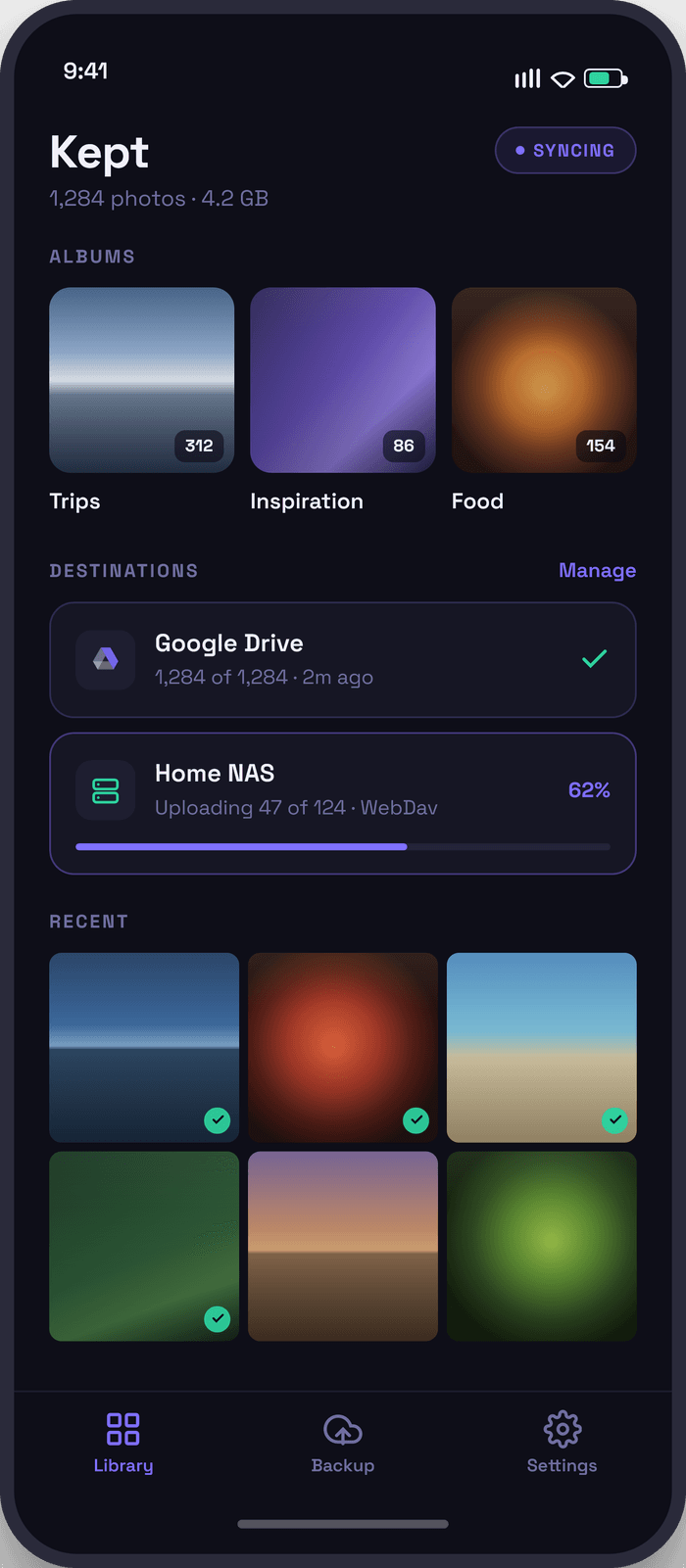
Back up photos and information from your device, to your own cloud stoage or personal NAS, on your terms free of vendor ecosystems.

What Kept does.
The short version, in a scannable form.
| Feature | Details |
|---|---|
| Storage | Archives your photos and documents to your Cloud Storage Provider or Local NAS. |
| Sync | Intelligent Syncronization only moves the files modified or new since the last backup. |
| Multiple Targets | Backup your infomration to Google Drive, OneDrive, a NAS, or all three. |
| No Third-party Analytics or Tracking | Your photos and documents are backed up to where you choose. And only where you choose. |
| Platform Availability | Only Apple App Store for now. Google Play coming soon! |
| Intelligent Processing | Syncronizations will resume in the background when connected to power and reliable network. |
Your data, on your Terms. Exactly where you want it.
Break free of vendor constraints, use storage you already have to keep your infomraiton where you want it.
Common Questions.
What is Kept?
Kept is an archival utility for backing up photos and documents on your device to stoage you control, and likely already pay for.
Where is my Data Stored?
Only where you choose to store it. On your Device, in the Cloud, or on a local NAS (over the WebDav Protocol). You setup the connections and the rules of where files should go, Kept ensures the files end up where they should.
Is my Device Data Modified?
By default none of your local data is modified. Some premium features allow you to restore data back to your device to manage local storage.
Which Platforms does Kept Support?
Kept is available today on the Apple App Store for iOS Devices. Android Support on Google Play is coming soon.
Does InContext Collect Analytics?
Yes; and can be disabled in app. Kept collects anonymous usage metrics that we review to understand how our app is being used and where we can improve.
Is Kept Really Free? Without a Login?
Yes! We designed Kept to address what we felt should be included by default but wasn't. We've published the app to be freely used without the need to login.
What's the difference between Free and Premium?
The free version does not support automatic syncronization, the 'Sync Now' button must be executed manually to begin the process. Premium allows for automatic over-the-air syncronization and allows complex rules that allow the amount of stoage locally to be limited automatically.
Why do I need a Login?
Logging in allows for free backup of Kept settings in case you reset your phone. Login is required for Premium usage and is compeltely optional for Free usage.